
Sage Pastel is one of the most trusted accounting systems in Zimbabwe, known for its reliability, multi-currency capabilities, and compliance with local tax standards. Many small and medium-sized enterprises (SMEs) rely on it daily to manage sales, purchases, payroll, and VAT.
But while most users stick to the basics, Sage Pastel has a wide range of advanced tools and shortcuts that can drastically improve productivity, accuracy, and reporting efficiency.
If you already use Sage Pastel and want to take your accounting skills to the next level, here are powerful tips and tricks to help you get the most out of your system.
1. Master Keyboard Shortcuts for Faster Navigation
Time is money in accounting, and keyboard shortcuts can help you save both. Instead of clicking through multiple menus, you can quickly move between modules, create entries, or generate reports.
Some essential Sage Pastel shortcuts include:
- Ctrl + F – Find a transaction or customer quickly.
- Ctrl + N – Create a new invoice or document.
- Ctrl + P – Print the current report or ledger.
- F9 – Post transactions instantly.
- Ctrl + Shift + A – Add a new account from anywhere.
Learning and using these shortcuts daily can increase your efficiency by as much as 25%, especially if you handle multiple transactions each day.
2. Automate Your Repetitive Tasks
Many businesses in Zimbabwe still process data manually, unaware that Sage Pastel allows automation of recurring tasks.
For example:
- Set up recurring invoices or journals for rent, subscriptions, or monthly bills.
- Use auto bank reconciliation to match transactions with bank statements quickly.
- Configure scheduled reports so Pastel automatically generates monthly financials without manual intervention.
Automation reduces the risk of human error, ensures consistency, and saves valuable time—letting you focus more on strategic decision-making rather than data entry.
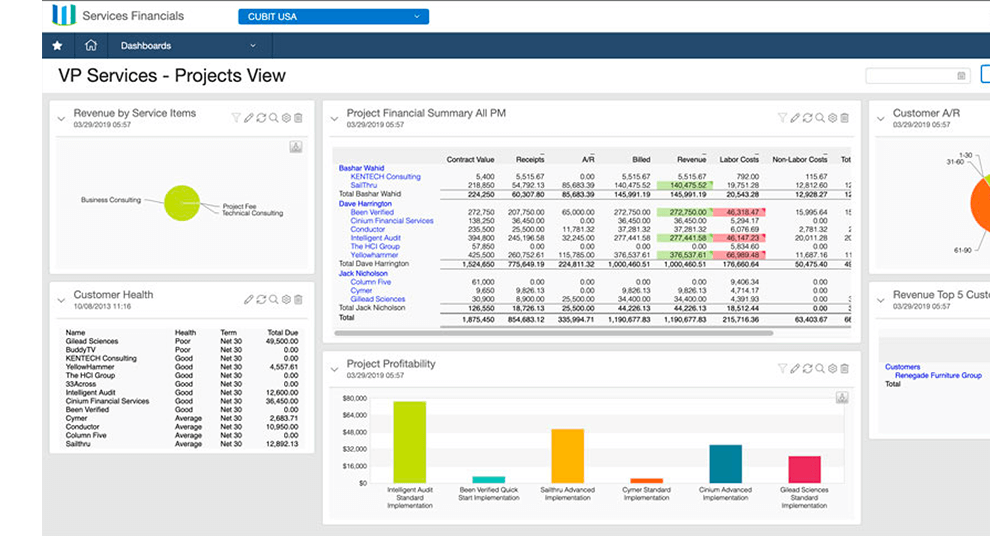
3. Customize Your Dashboards and Reports
Sage Pastel offers a variety of standard reports, but power users know how to customize reports for more meaningful insights.
You can:
- Create custom income and expenditure dashboards tailored to your business.
- Add filters to show only transactions for specific customers, branches, or products.
- Export data into Excel or PDF for easier presentation and analysis.
- Build ratio reports to monitor profitability, liquidity, and performance trends.
For Zimbabwean businesses dealing with both USD and ZWG, these reports are essential for tracking exchange gains, tax calculations, and multi-currency performance.
4. Take Advantage of Multi-Currency Settings
Zimbabwean businesses often operate in multiple currencies — usually USD, ZWG, ZAR, or even BWP. Sage Pastel’s multi-currency module helps handle this seamlessly.
To optimize:
- Set up all currencies with accurate exchange rates from the Reserve Bank of Zimbabwe or market averages.
- Use currency revaluation tools to adjust accounts and reflect true values.
- Always generate financial statements in both functional and reporting currencies.
Proper multi-currency configuration ensures that your business stays compliant with ZIMRA requirements and reflects accurate profits or losses.
5. Use Inventory Management Like a Pro
Pastel Partner and Pastel Xpress come with strong inventory features, but many users underutilize them. To get full value:
- Set minimum and maximum stock levels to trigger reorder alerts.
- Categorize items by supplier, product type, or warehouse for better control.
- Use the Inventory Valuation Report to monitor stock value and avoid over-purchasing.
- Implement batch or serial tracking if you sell products with expiry dates or unique IDs.
These tools can drastically improve cash flow by reducing unnecessary stock and ensuring you always have fast-moving items available.
6. Secure Your Data with Scheduled Backups
Data loss can cripple any business. In Zimbabwe, where power interruptions or hardware failures are common, data backups are critical.
Sage Pastel allows you to:
- Set up automatic daily or weekly backups.
- Save copies to external drives or cloud storage.
- Use password protection and encryption for extra security.
Backing up regularly protects your company from data loss and ensures continuity even in emergencies.
7. Use User Permissions and Audit Trails
If you have multiple users handling your accounts, enable user access control to protect your data.
Sage Pastel lets administrators:
- Assign different access levels to users (e.g., cashier, manager, accountant).
- Restrict sensitive areas like payroll or supplier payments.
- Track who made which changes using the audit trail feature.
This is especially important for accountability and fraud prevention — a must for Zimbabwean businesses where internal controls can make the difference between profit and loss.
8. Integrate Sage Pastel with Other Systems
To fully modernize your business, connect Sage Pastel to other digital tools. Integration can streamline operations and improve efficiency.
For example:
- Link your Point of Sale (POS) system for real-time sales tracking.
- Connect to your bank’s online platform for direct reconciliation.
- Integrate with Sage Payroll for automated salary posting.
- Sync with eCommerce platforms if you sell online.
These integrations turn Pastel into a complete business management hub rather than just an accounting tool.
9. Stay Up-to-Date with Updates and Training
Sage regularly releases software updates with bug fixes, new features, and security improvements. Make sure you’re always running the latest version of Pastel.
Also, consider attending Sage Pastel training workshops or partnering with a Sage Certified Consultant in Zimbabwe. Continuous learning ensures your team is always using the most efficient methods and features available.
10. Leverage the Power of Reports for Decision-Making
Your Pastel data is only as valuable as the insights you extract from it. Use reports not just for compliance, but for business growth.
Review your:
- Customer Age Analysis to identify late payers and improve cash flow.
- Supplier History Reports to negotiate better terms.
- Profit and Loss Statements to spot seasonal trends.
- Balance Sheets to track assets and liabilities over time.
Regularly analyzing these reports can help you make informed decisions and build a financially resilient business.
Conclusion
Sage Pastel is far more than just an accounting program—it’s a complete financial management tool built to support growth and compliance for Zimbabwean businesses.
By mastering shortcuts, automating tasks, customizing reports, and using advanced features like multi-currency and inventory management, you can transform your accounting process from manual to strategic.
Whether you’re a small business in Mutare or a large enterprise in Harare, learning to fully leverage Sage Pastel will help you improve accuracy, save time, and gain clearer financial visibility in 2025 and beyond.